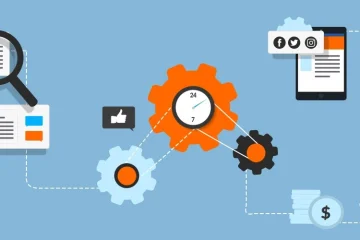
Modern businesses rarely rely on a single platform. Accounting software, CRM systems, project management tools, communication apps, analytics dashboards, and HR platforms often operate side by side. While each system serves a clear purpose, managing all of them together can quickly become overwhelming. Without the right tools and structure, teams lose time switching between platforms, duplicate work increases, and errors become more frequent.
The right management tools help bring clarity, coordination, and consistency across systems, allowing teams to stay productive without mental overload.
Why Managing Multiple Systems Gets Complicated
As organizations grow, systems are often added incrementally rather than strategically. This creates challenges such as:
-
Disconnected data spread across platforms
-
Inconsistent workflows between teams
-
Manual handoffs that increase errors
-
Limited visibility into overall operations
Over time, these issues slow decision-making and reduce efficiency. The goal of system management tools is not to replace existing software, but to make them work together seamlessly.
Centralized Dashboards for Unified Visibility
One of the most effective ways to reduce confusion is through centralized dashboards. These tools pull key data from multiple systems into a single interface.
Benefits include:
-
Real-time visibility across departments
-
Fewer logins and reduced context switching
-
Faster identification of bottlenecks or issues
-
Clear performance tracking using shared metrics
When teams can see what matters most in one place, they spend less time searching for information and more time acting on it.
Integration and Automation Tools
Manual updates between systems are a major source of confusion. Integration and automation tools solve this by enabling systems to exchange data automatically.
Common use cases include:
-
Syncing customer data between sales and support platforms
-
Automatically updating financial records from invoicing systems
-
Triggering task creation when specific events occur
-
Reducing repetitive data entry across tools
Automation not only saves time but also ensures consistency, which is critical when multiple platforms depend on the same information.
Workflow Management Platforms
When systems operate independently, workflows often break down. Workflow management platforms help map, standardize, and coordinate processes across tools.
Key advantages:
-
Clear ownership and accountability at each step
-
Standardized processes across teams
-
Fewer delays caused by unclear handoffs
-
Better collaboration between departments
By aligning workflows with systems, teams know exactly where work begins, where it moves next, and how progress is tracked.
Documentation and Knowledge Management Tools
Even the best tools create confusion if people do not understand how to use them together. Documentation and knowledge management tools play a critical role in system clarity.
They help organizations:
-
Document how systems connect and interact
-
Create clear usage guidelines for teams
-
Store process maps, SOPs, and FAQs centrally
-
Reduce reliance on individual knowledge holders
Well-maintained documentation ensures continuity as teams grow or change.
Access and Identity Management Solutions
Multiple systems often mean multiple logins, which increases friction and security risks. Access and identity management tools simplify this by centralizing user access.
Key benefits include:
-
Single sign-on across platforms
-
Consistent permission controls
-
Reduced onboarding and offboarding time
-
Improved security oversight
When access is managed centrally, teams spend less time troubleshooting login issues and more time working productively.
Monitoring and Alerting Tools
Without proactive monitoring, issues across systems may go unnoticed until they cause disruption. Monitoring and alerting tools help detect problems early.
They provide:
-
Automated alerts for system failures or delays
-
Performance tracking across connected tools
-
Faster response to integration issues
-
Better system reliability over time
This visibility prevents small issues from turning into larger operational setbacks.
Choosing the Right Combination of Tools
No single tool solves system complexity on its own. The most effective approach combines dashboards, integrations, workflow management, documentation, and monitoring. When chosen thoughtfully, these tools create a connected environment where systems support each other rather than compete for attention.
The result is less confusion, smoother operations, and teams that can focus on meaningful work instead of managing tools.
Frequently Asked Questions
What is the biggest cause of confusion when managing multiple systems?
The lack of integration and clear workflows between systems is usually the primary source of confusion.
Do businesses need to replace existing systems to reduce complexity?
No, most organizations improve clarity by connecting and coordinating current systems rather than replacing them.
How can small teams manage multiple tools effectively?
Central dashboards, basic automation, and clear documentation are often enough for smaller teams to stay organized.
Is automation necessary for system management?
While not mandatory, automation significantly reduces manual work and helps maintain consistency across platforms.
How often should system workflows be reviewed?
Workflows should be reviewed whenever a new tool is added or when processes change significantly.
Can better documentation really reduce system confusion?
Yes, clear documentation ensures everyone understands how tools are used together, especially during onboarding.
What should be prioritized first when systems feel overwhelming?
Start by identifying critical systems, centralizing visibility, and eliminating manual data transfers between platforms.